Posted by
 Summer continues – and there are once again many new features on the web. The main highlight is the new editor, which allows you to format content conveniently and mention ChurchTools objects directly. The wiki has also been significantly expanded, groups receive practical improvements, and administrators and developers benefit from new features as well.
Format content and add mentions
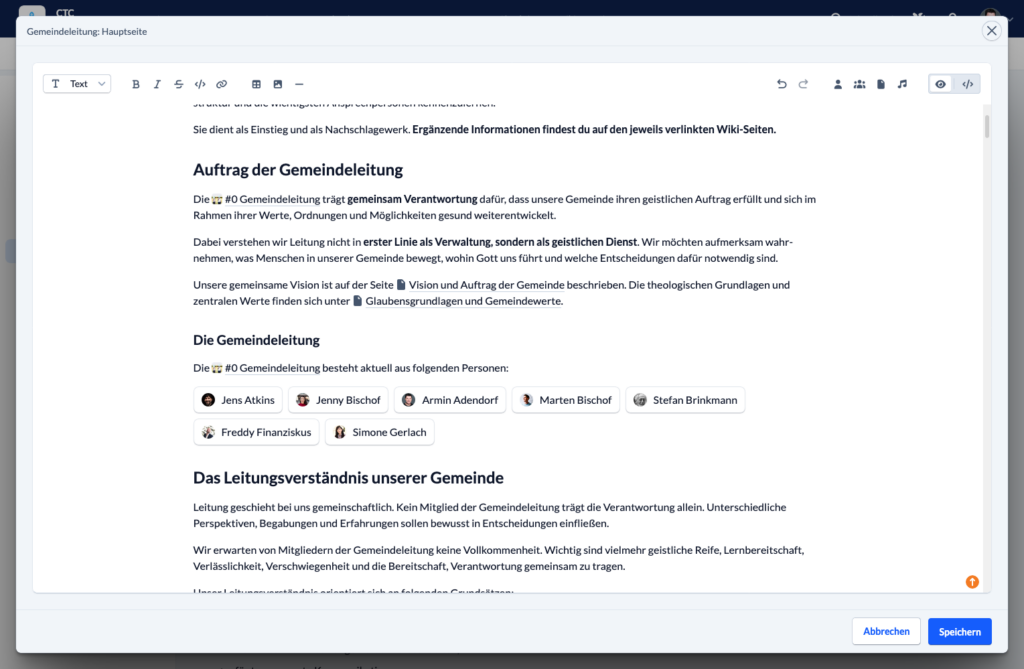
This release is packed with new features, and we are very excited to finally present it. Posts and wiki pages can now be conveniently formatted and include mentions. You can clearly structure your text using headings, lists, tables, quotes, images, links, and other formatting options.
Text can now be displayed in bold, italics, and strikethrough. You can also add headings, bulleted lists, and numbered lists. Quotes and code blocks are supported as well.
Links can, of course, also be inserted. This is now possible using buttons as well.
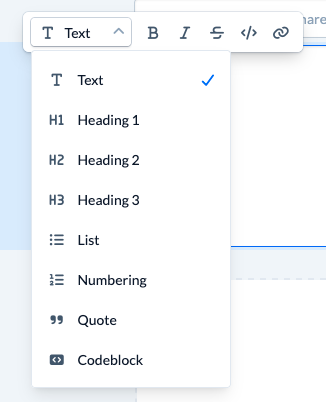
But let us take a step back for a moment. This change is about more than formatting. The ability to enhance text in this way is initially supported in posts and wiki pages. The goal is to introduce this behavior in other modules as well.
To achieve this, we have defined the various use cases so that, in the future, you can always expect every text field, description field, or document to behave in the same way. Not every feature is available everywhere; instead, the available options adapt to the respective context.
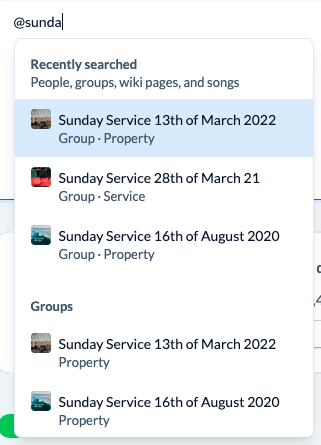
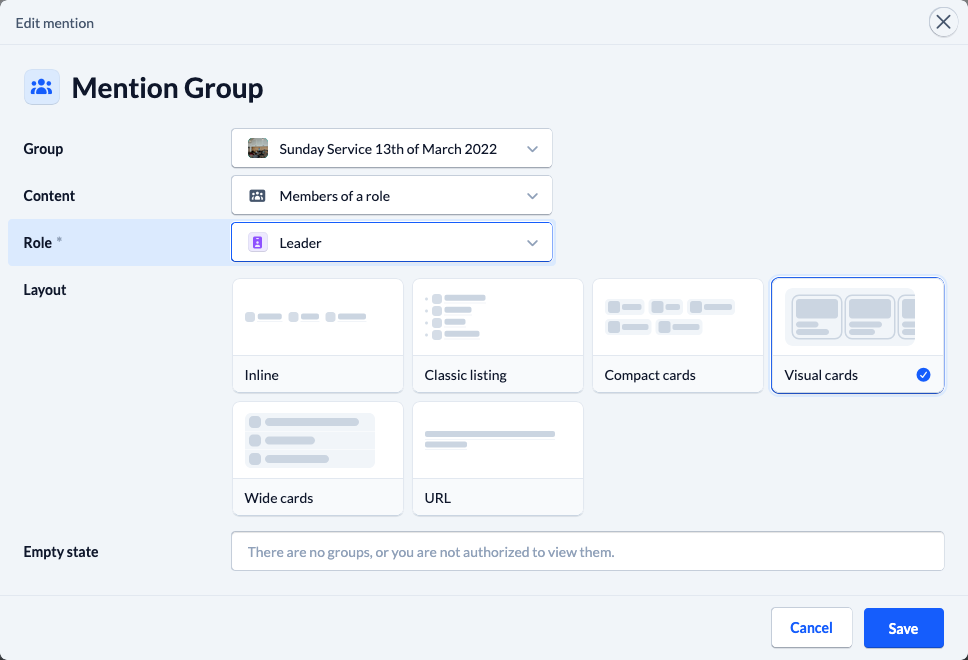
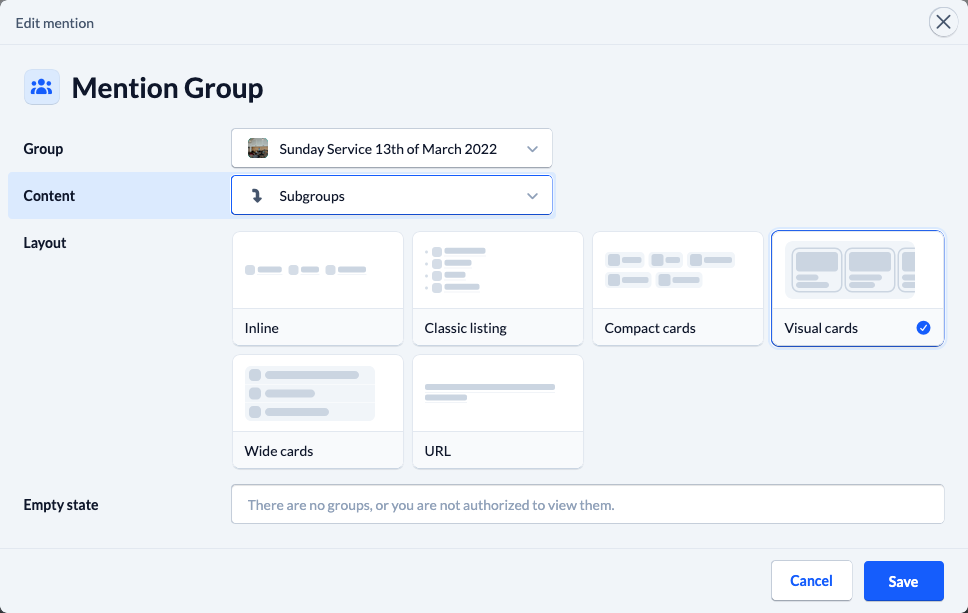
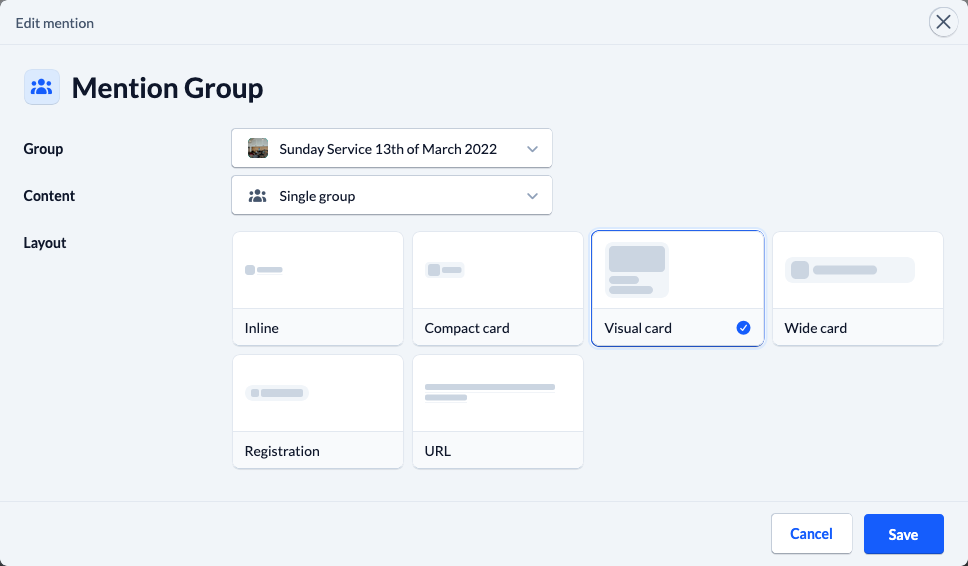
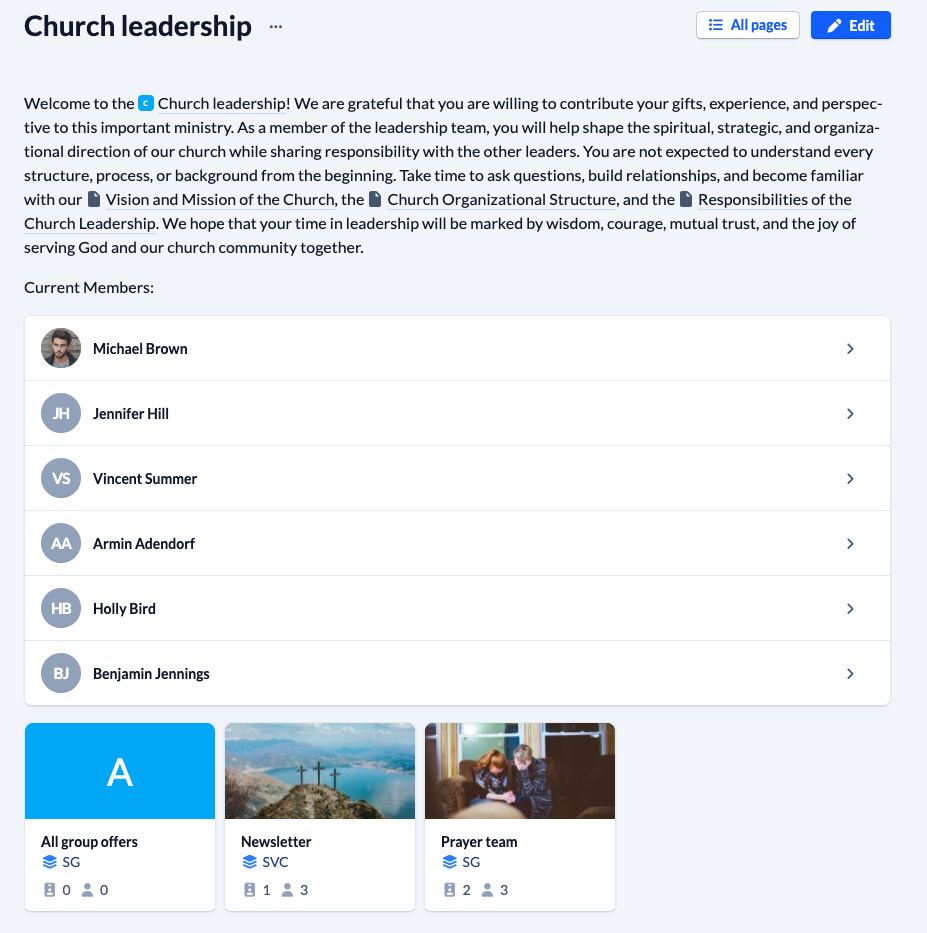
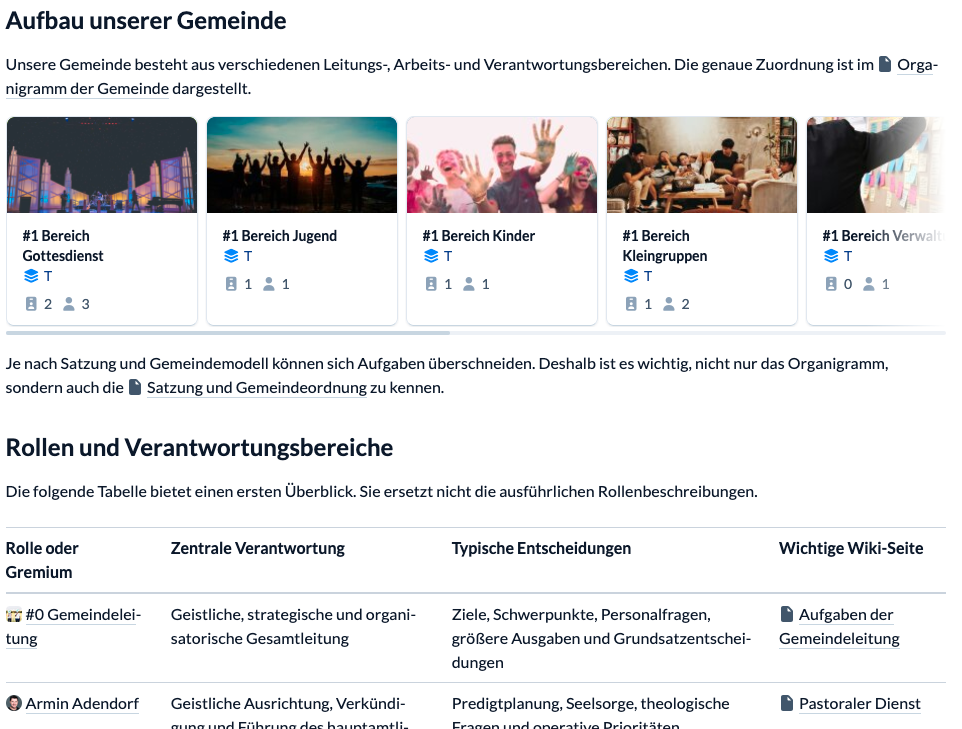
In addition to formatting, you can now mention people, groups, wiki pages, and songs in your text. To do so, tap the @ symbol in the editor or enter @ directly, and you can search for a suitable object.
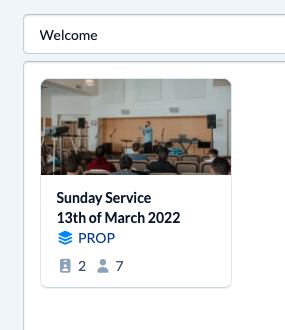
Various display options are available for each object. You can use a simple mention within the body text or a large card to draw attention to something such as the registration group. The choice is yours.
Existing permissions are, of course, still respected: mentions do not automatically make content visible to additional people but take the existing access rights into account. You therefore do not need to worry about data being disclosed unintentionally. Only the reference itself is stored in the text. Additional information is loaded if the appropriate permission is available.
A modern introduction for administrators
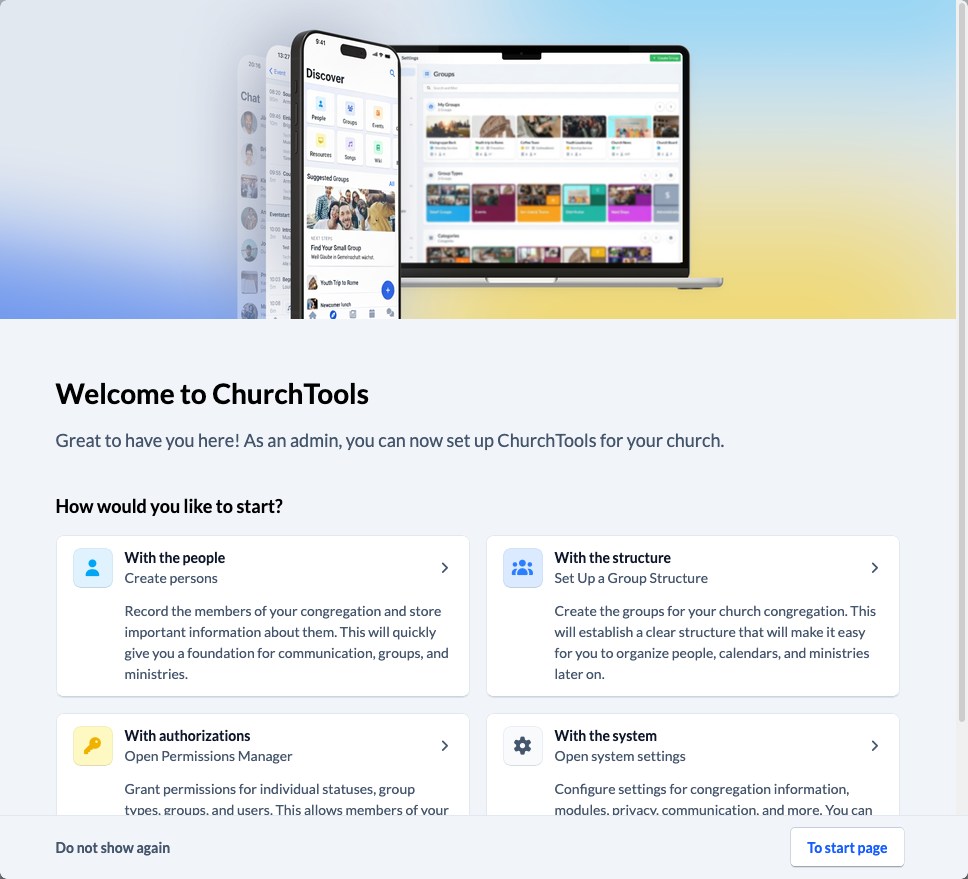
While we are talking about mentions, let me add one more thing: the welcome dialog for administrators has been redesigned and now provides a much easier introduction to setting up ChurchTools. Important first steps are easier to access, making the initial setup much more straightforward.
New wiki homepage and improved search
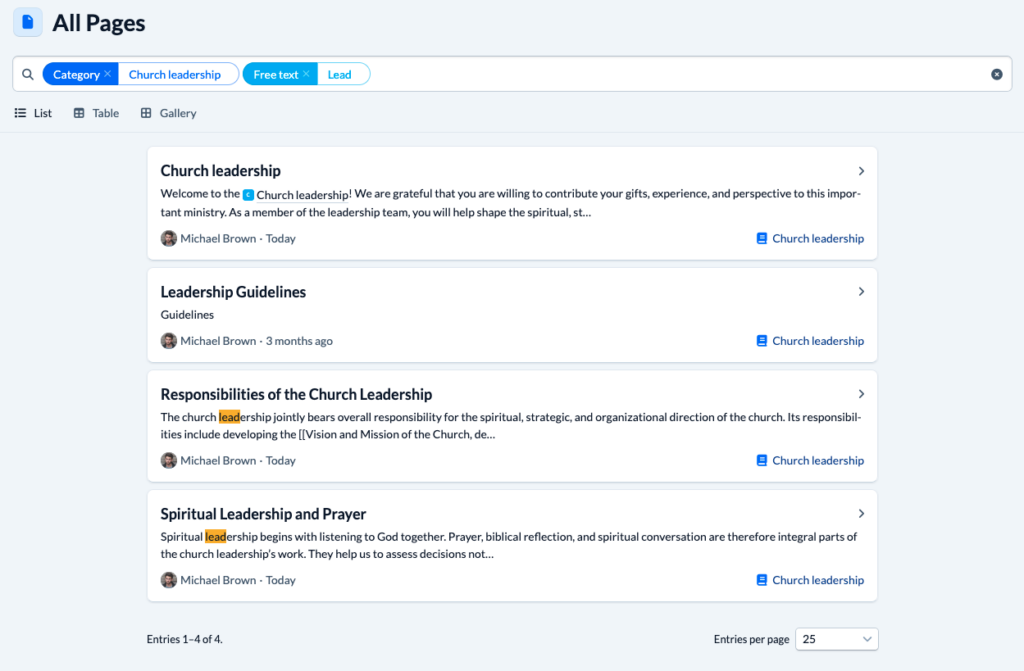
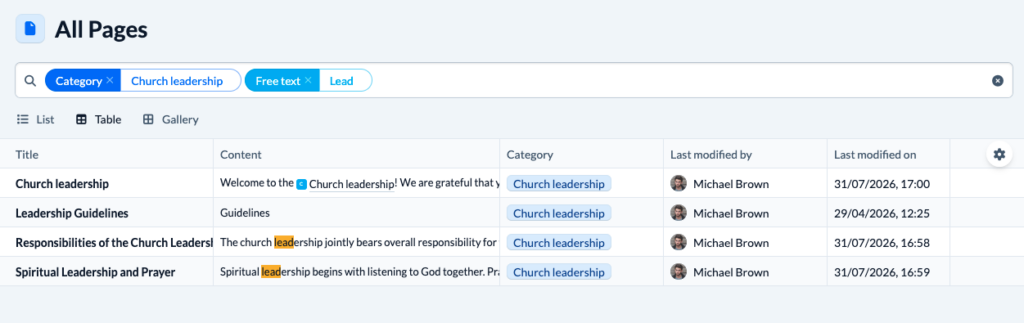
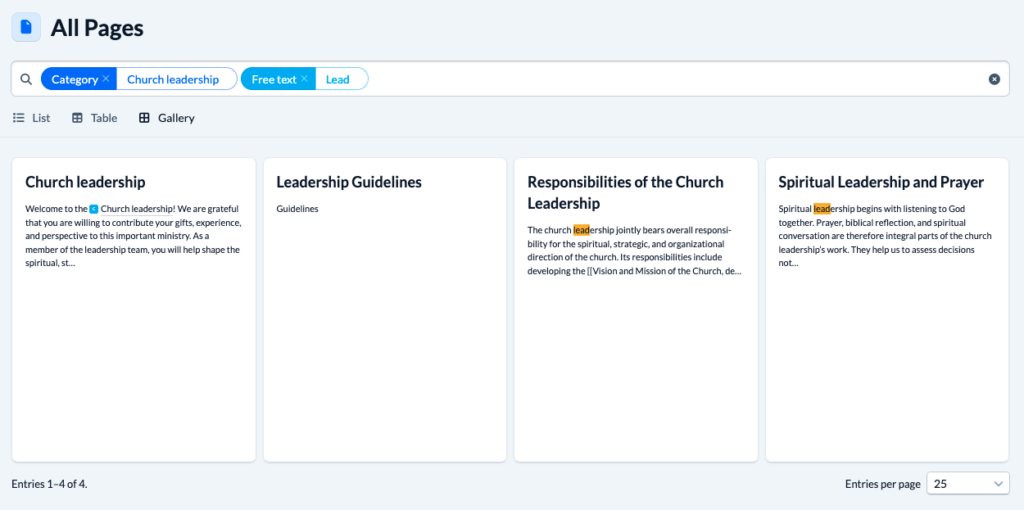
The wiki now has a new “All pages” homepage. With a free-text search, filters for multiple categories, and list, table, and gallery views, you can find content much more quickly. In addition, the wiki search now displays a relevant text excerpt around the search term for Markdown pages.
New permission for people from a campus
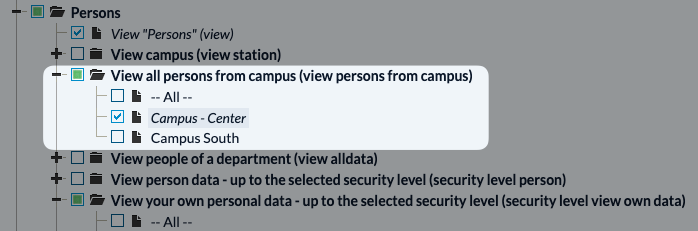
There is a new permission for people: View all persons from campus. This makes all people from a specific campus visible. This permission is now taken into account in all relevant areas of person visibility.
More control over group chats
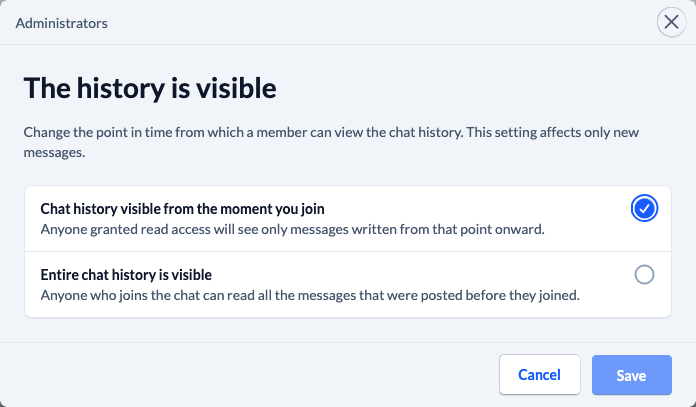
For group chats, you can now specify whether new group members are allowed to see the previous chat history. This lets you decide how much context new members receive when they join.
However, changing this setting does not apply retroactively; it only applies to new chat messages.
More flexible routine emails
Routine emails now support file attachments. The check-in code can also be inserted as a placeholder, and delays can now be defined in months and years for the first time. This makes long-term automations and sending important information easier.
Manage follow-up reminders per group
For follow-ups, you can once again specify for each group whether reminders should be sent for follow-ups that are due.
Large tables load faster
Tables with many rows and columns are now displayed with significantly better performance. This makes working with large data sets much smoother.
Edit selection options more easily
Options for group member fields of the selection, either-or selection, and multiple-selection types can now be edited afterward. This makes maintaining existing fields easier.
Improved synchronization with newsletter services
Unsubscriptions made through the newsletter provider are now automatically transferred to ChurchTools. Changes to group memberships are also immediately transferred to connected newsletter tools. This ensures that recipient lists always remain up to date.
OAuth applications with API access
With explicit authorization (scope: api), OAuth applications can now access the ChurchTools API – only within the permissions of the signed-in user, of course. This makes it possible to create custom applications that support signing in through ChurchTools and load data from ChurchTools using the user’s permissions.
Changes for API developers
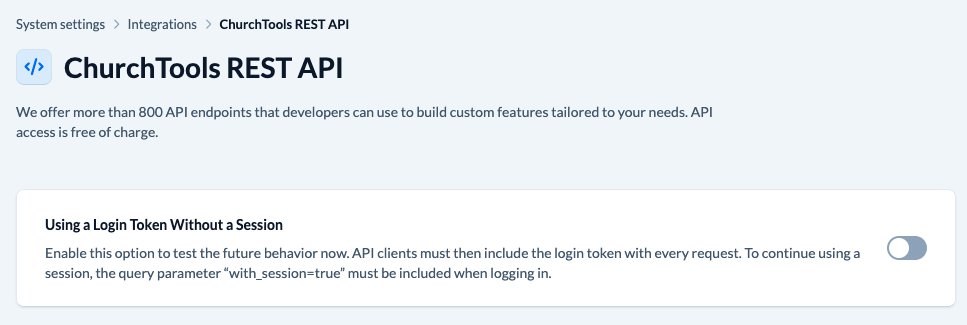
There are two important changes for developers: in the future, login tokens will no longer create a session by default for REST API calls. The new behavior can already be tested in the system settings. If a session is still required, it can be requested using the with_session=true parameter.
In addition, CSRF protection is now permanently enabled and can no longer be disabled accidentally. This further improves the security of ChurchTools.
We have already announced these two changes in the forum: API changes in the next ChurchTools version 3.135 | ChurchTools Forum